Dental & medical practices
“How much is a cleaning?”
Answer from approved fee schedules, offer available visits, and route clinical questions to the care team.
 cognitronSYSTEMS
CogniDesk · AI phone receptionist
Give callers an answer, an appointment, or a person to follow up. Your team gets the transcript and the details the caller shared.
Configure CogniDesk with your services, appointment availability, and rules for reaching staff. Here’s how that can sound across different front desks.
“How much is a cleaning?”
Answer from approved fee schedules, offer available visits, and route clinical questions to the care team.
“Do you service my area?”
Check the service area, capture the caller’s repair request, and offer an available service appointment.
“Can I arrange a consultation?”
Collect contact details and a short description of the matter, then schedule an intake appointment or request a staff callback.
“Can we see the product?”
Ask which product interests the caller, offer demo times, and confirm the invitation details. Our own Cognitron line books CogniDesk and CogniOne demos this way.
“Can I bring my car in this week?”
Explain published services and shop hours, capture the repair concern, and offer an open appointment.
“How long is a first visit?”
Share the studio’s service descriptions and preparation instructions, then help callers choose an available time.
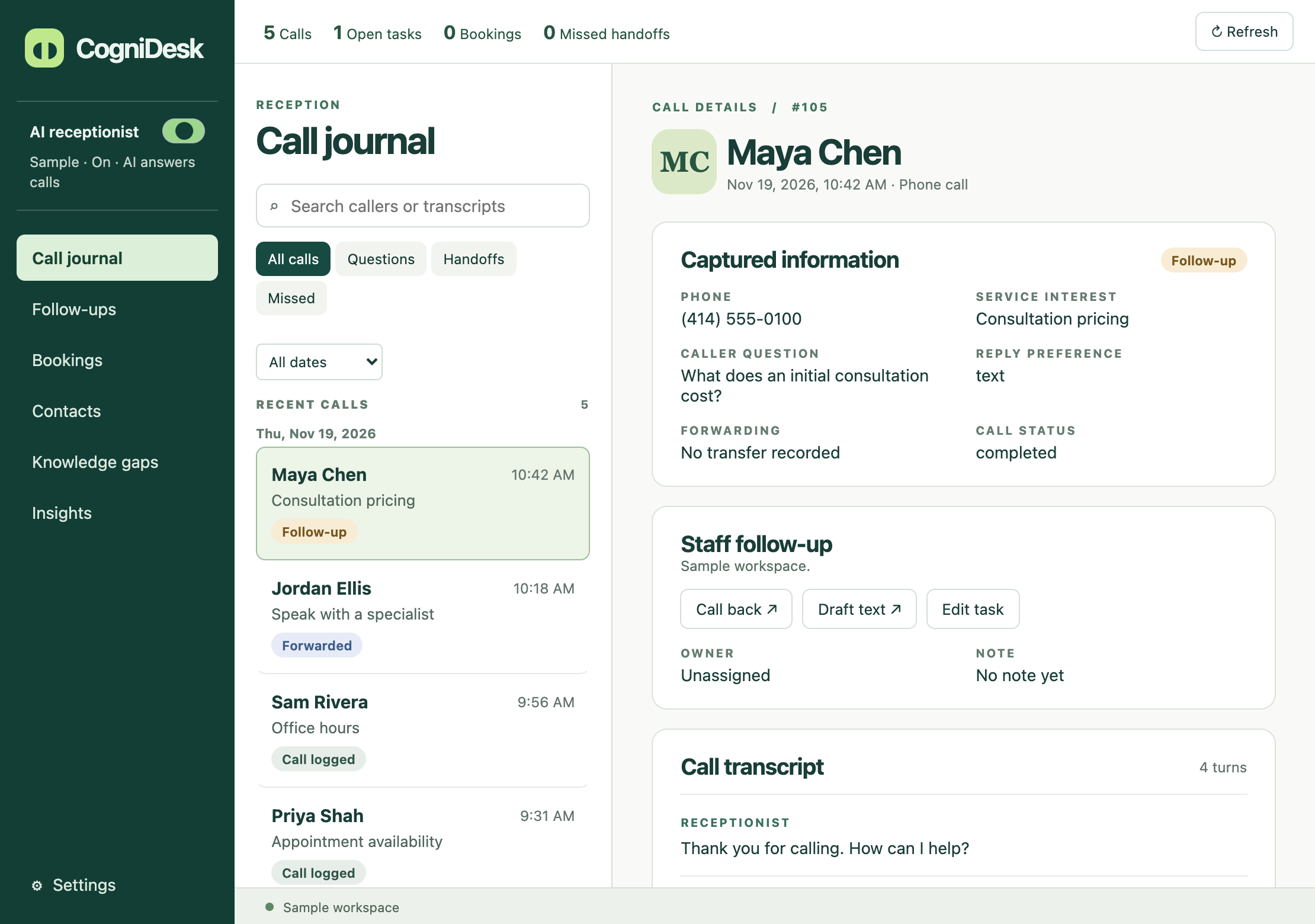
Read the transcript, assign a follow-up, or switch new calls from Aria to your staff. The left sidebar keeps calls, bookings, contacts, and unanswered questions in one place.
Tell us which calls your team handles and what you’d like the receptionist to do.
📅 Book a demo on our calendar ↗Your first questions, answered.
Answers use our AI chatbot. Please don’t share confidential or personal information. Click link below to book a demo.